In the event you haven’t had success unlocking your iPhone 4 / 4S using the SAM unlock, this can be of great interest for you.

The Chinese hacker and developer of the SAM unlock solution today has updated his tool in order to make unlocking much simpler than before. Now you can unlock your iPhone in a few steps.
How to Unlock your iPhone 4 / iPhone 4S Using the Updated SAM Tool:
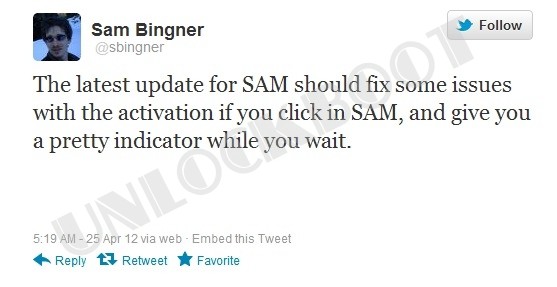
Sam unlocking tool updated
Step 1: Go to Cydia and install SAM – Repo address: http://repo.bingner.com
Step 2: Now insert your Unofficial SIM card.
Step 3: Open “SAM prefs” -> “Utilities” -> “Attempt Activation”.
Step 4: Now your iPhone will respring, also it should Recognize your Unofficial SIM card.
If you still haven’t had success you can follow the full troubleshooting tutorial specified below.
In the event that you receive a notification that says: You must select the original carrier SIMID of your iPhone, or almost any other error notification you simply can perform the following steps:
Step 1: Remmove your SIM from your iPhone, open iFile and navigate to /var/root/Library. Now tap on edit inside the upper right corner, and choose Lockdown, and also tap the zip button to make a backup of Lockdown. Scroll to the bottom to make sure that a backup zip was made. Right now remove the Lockdown directory.
Step 2: Go to /User/Library/Preferences and look for SAM, and Remove the com.bingner.sam.plist file.
Step 3: Switch off your iPhone, and Switch it on.
Step 4: Now insert your Unofficial SIM card.
Step 5: Open “SAM prefs” -> “Utilities” -> “Attempt Activation”. You’ll receive a notification saying that the process can may take a while. After a little waiting your iPhone will respring.
Step 6: Finally you should be on your unofficial network (for example T-Mobile).
Note: Make sure to follow these 6 troubleshooting steps exactly in order for it to be effective. I have tried it almost several times, and it also work for me.
Feel free to Share your Experience in the Comment section Below!