We know that Apple released the iOS 5.1.1 firmware that features bug fixes and stability improvements while taking HDR photos.
You can jailbreak the iOS 5.1.1 firmware tethered with the latest version of RedSn0w. If you already had an untethered jailbreak on the iOS 5.1.1 then a tethered jailbreak won’t be enough for you.
So, if you are looking for a way to downgrade from the iOS 5.1.1 firmware to the iOS 5.0.1 or the iOS 5.0 firmware, then you have come to the right place!
iOS 5.1.1 Downgrade — Take Care of Before You Can Start :
- If the device you own is an iPhone 4, iPhone 3GS, the iPad 1G, the iPod Touch 4G, the iPod Touch 3G then this guide is for you. This guide is not for those who want to downgrade the iPhone 4S or the iPad 2.
- You will need APTicket + saved SHSH blobs for the iOS 5.0.1 or the iOS 5.0 firmware.
- A Windows computer.
Downgrade iOS 5.1.1 To iOS 5.0.1 / iOS 5.0 — A4 devices:
Step 1: First of all, you will need to download a tool by iH8Sn0w called iFaith 1.4.2. This tool will dump the SHSH blobs off the iDevice that you have.
Step 2: Now, run iFaith, click the ‘OK’ button when you read the warning.
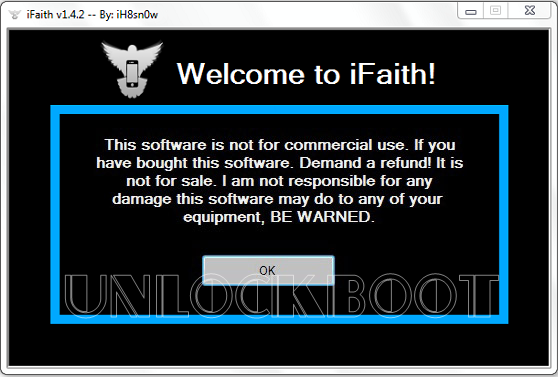
Welcome to iFatih
Step 3: Click on ‘Build *signed* IPSW w/ Blobs’.
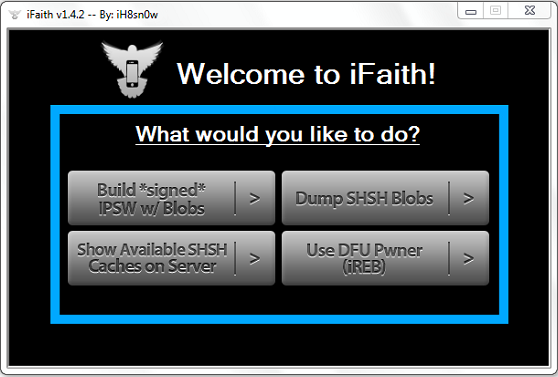
iOS 5.1.1 Signed IPSW
Step 4: You will need to browse for the saved SHSH blobs file that was created when you saved the SHSH blobs for iOS 5.0.1 or the iOS 5.0 firmware.
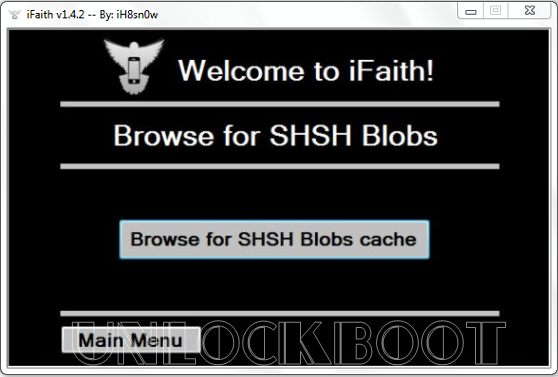
Downgrade iOS 5.1.1 with SHSH Blobs
Step 5: Now, browse for the iOS 5.0 or 5.0.1 firmware file. Depending on the SHSH blob file selected, you will either have to select the iOS 5.0.1 or the iOS 5.0 firmware file. You might need to download the iOS firmware files.
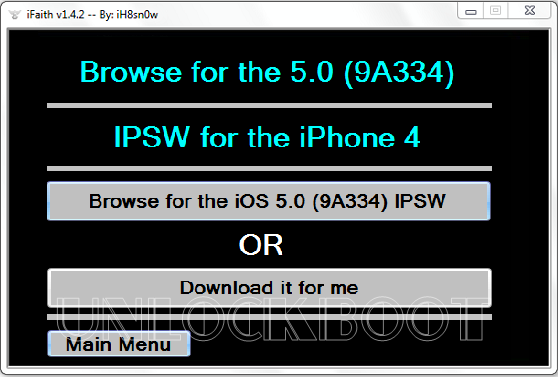
Browswe for 5.0 / 5.0.1 firmware
Step 6: iFaith will begin to create your iOS 5.0 / 5.0.1 / iOS 5.1 custom firmware file once you have selected the right firmware.
Step 7: Go back to the iFaith main menu when the custom firmware file has been created and then click on ‘Use DFU Pwner‘ and follow the instructions give to you.
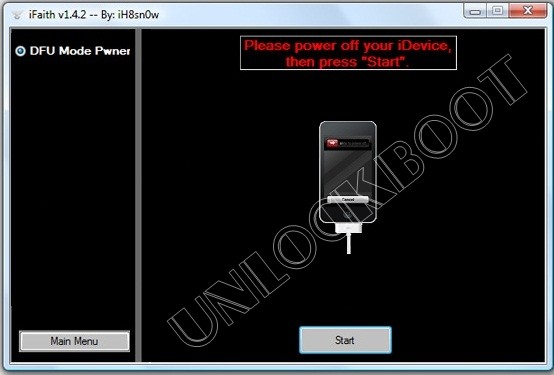
iFatih iOS 5.1.1 DFU Mode
Step 8: When the device is in pwned DFU mode, launch the iTunes and restore your iDevice to the custom firmware file that was created. You can do this by Option (alt) clicking the restore button present on the Mac OS X or by SHIFT clicking the Restore button on Windows.
You have successfully downgraded the A4 iOS device from the iOS 5.1.1 firmware to iOS 5.0.1 or the iOS 5.0. Leave your thoughts!