If your Galaxy A73 5G (SM-A736B) is FRP (Factory Reset Protection) locked, you won’t be able to use the phone without signing in with the previously synced Google account. It will display a message asking for the original Google account and remain locked until FRP is removed. So, how can you unlock it? Is it possible to remove the FRP lock permanently? And how does FRP get activated in the first place? In this guide, we’ll answer all of these questions and explain everything you need to know.

The Samsung Galaxy A73 5G was announced on March 17, 2022, and launched with Android 12 running One UI 4.1. It is powered by the Qualcomm SM7325 Snapdragon 778G 5G (6 nm) chipset, featuring an octa-core CPU (4×2.4 GHz Kryo 670 and 4×1.8 GHz Kryo 670) and the Adreno 642L GPU. The device is available in 128GB storage with 6GB or 8GB RAM, as well as 256GB storage with 8GB RAM, and comes in Gray, Mint, and White color options.
Fix Your Google Locked A73 NOW
Factory Reset Protection (FRP) is a built-in security feature that helps prevent unauthorized access to your device after it has been reset. It ensures that no one can simply erase your phone and start using it without permission. After a full factory reset, you must enter the login details of the Google account that was previously linked to the device to regain access. If those credentials are forgotten or unavailable, the FRP lock is triggered, preventing you from using the phone.
Numerous older tools and free bypass methods for removing FRP (Factory Reset Protection) locks still exist and circulate online. However, these approaches are largely considered outdated in 2026, especially on devices running recent Android versions (like Android 14, 15, or 16) with the latest security patches. UnlockBoot is here to make the process simple — providing a fast, safe, and easy remote FRP unlock service via USB specifically tailored for Samsung devices.
Steps to Permanently Remove the FRP lock of your Samsung Galaxy A73 5G
Before starting the unlock process, make sure you have a USB cable to connect your phone to a computer with an active internet connection. You will also need the IMEI number of your Galaxy A73, as it is required to identify the device. If you don’t know the IMEI, you can usually find it on the back of the phone, or tap Emergency on the lock screen and dial *#06# to display it. Once everything is prepared, you can proceed with the unlock process.
1 Visit to the Samsung FRP Unlocking section and select the FRP Lock Removal Service. You can access it now using this link: https://store.unlockboot.com/frp-unlock-service/
2 Type in your device’s IMEI to finish the purchase. Can’t find it? Use the serial number (SN) or just enter 0000.
3 You will receive an email containing step-by-step instructions to complete the FRP (Factory Reset Protection) removal process via USB cable.
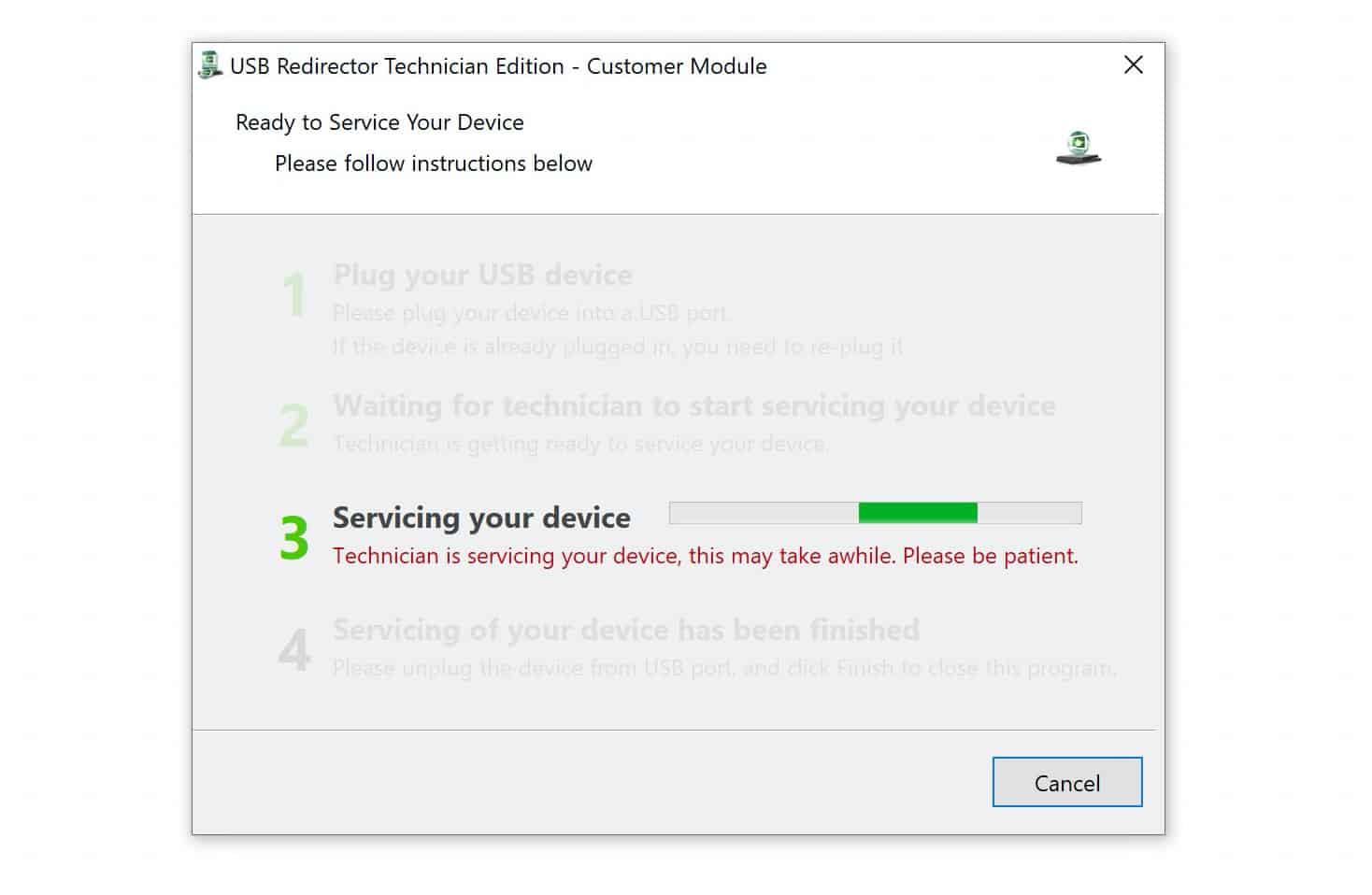
Shortly after your request, one of our experienced technicians will contact you and guide you through the process step by step. They will remotely connect to your Galaxy device and permanently remove the FRP lock, restoring full access without any limitations. This professional service ensures a safe, secure, and reliable unlock specifically tailored to your device.
Unlock Your FRP Locked A73 NOW
Why Choose UnlockBoot for Your Device Unlock?
- Fast and Reliable Service: Most unlocks are processed within minutes to a few hours, with a high success rate even for newer devices and the latest carrier restrictions.
- Wide Device & Carrier Support: Supports thousands of models from Apple, Samsung, Huawei, LG, Motorola, and more — across virtually all carriers worldwide.
- Permanent & Official Unlock: Delivers factory/carrier unlocks (not temporary bypasses), so your device stays unlocked even after resets or iOS updates.
- No Technical Skills Needed: Simple email-based process: provide your IMEI/SN, pay, and receive clear instructions — no jailbreak, no software downloads, no risks to your warranty.
- Trusted & Long-Standing Reputation: Operating since 2010 with thousands of verified customer reviews, excellent support response times, and money-back guarantees on eligible services.
If you have any questions or need help at any stage, feel free to reach out to us. Our support team is always available to assist you and make sure your experience is smooth and hassle-free.