3G Unrestrictor app has been updated for iOS 5.x / 6.x adding support for the iPhone 4S and iPad 2.
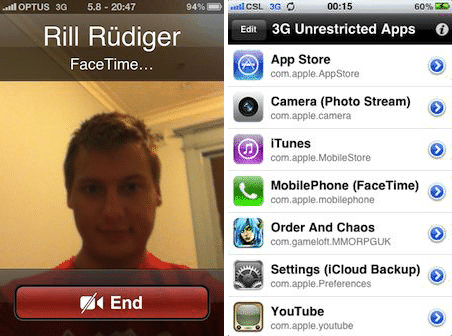
3G Unrestrictor allows you to go around the iPhone’s limitations and restrictions of not being able to use some applications like FaceTime, iCloud Backup, Photo Stream or high-quality YouTube videos while on a mobile internet connection like 3G or EDGE.
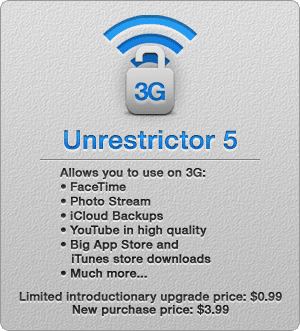
It allows those things by tricking applications into believing they are on WiFi, even though they are on 3G or EDGE.
What’s New In This Verison of 3G Unrestrictor
- A major update with a completely rewritten core and many new features.
- New Photo Stream support
- New iCloud Backup support
- New Ability to choose YouTube quality for WiFI / 3G / EDGE
- New SBSettings YouTube toggle to quickly select the desired quality mode
- New Completely rewritten core – even more reliable
Supported Devices:
- iPhone 2G
- iPhone 3G
- iPhone 3GS
- iPhone 4
- iPhone 4S
- iPad (3G model)
- iPad 2 (3G model)
One of the benefits of the 3G Unrestrictor tweak is the fact that it will work with the majority of third-party applications due to the fact that they query a particular function to determine whether or not the device is connected to a wireless network.
Download 3G Unrestrictor tweak
Users who have already purchased the original ‘3G Unrestrictor‘ tweak can upgrade to the newest version for a limited time for a price of $0.99, while new users have to dish out $3.99. Do you want to get it free?