Samsung made three new folding phones. The Z Fold8 Ultra opens up to an 8-inch screen. The Z Fold8 is a bit smaller, 7.6 inches. The Z Flip8 folds in half and fits in your pocket. Its screen is 6.9 inches. All three run Android 17 with One UI 9. They all have Samsung’s new AI features too. You can buy them from Samsung, from a store, or from a carrier. It depends on where you live.

Buying from a carrier sounds good at first. They offer deals and trade-ins that cut the price. You can pay monthly instead of all at once. But there’s a catch. The carrier often locks your phone to their network.
Unlock Your Z Fold8/Z FLip8 NOW
That might not bother you right away. Then you find a cheaper plan somewhere else. Or you travel and need a local SIM card. Now the lock is in your way.
There’s a way around this. UnlockBoot can unlock the phone for you. All you need is a Windows PC and a USB cable. You don’t have to mail your phone anywhere. Once it’s unlocked, it stays unlocked.
How to Unlock Your Galaxy Z Fold8 Ultra, Z Fold8, or Z Flip8 Using USB
You don’t need to mail your phone anywhere. You can unlock it from home. All you need is your phone, a Windows PC, and a USB cable.
Here’s how it works:
1 Choose your phone and carrier: Head over to the UnlockBoot Samsung unlock page and choose your desired Galaxy model and current carrier.
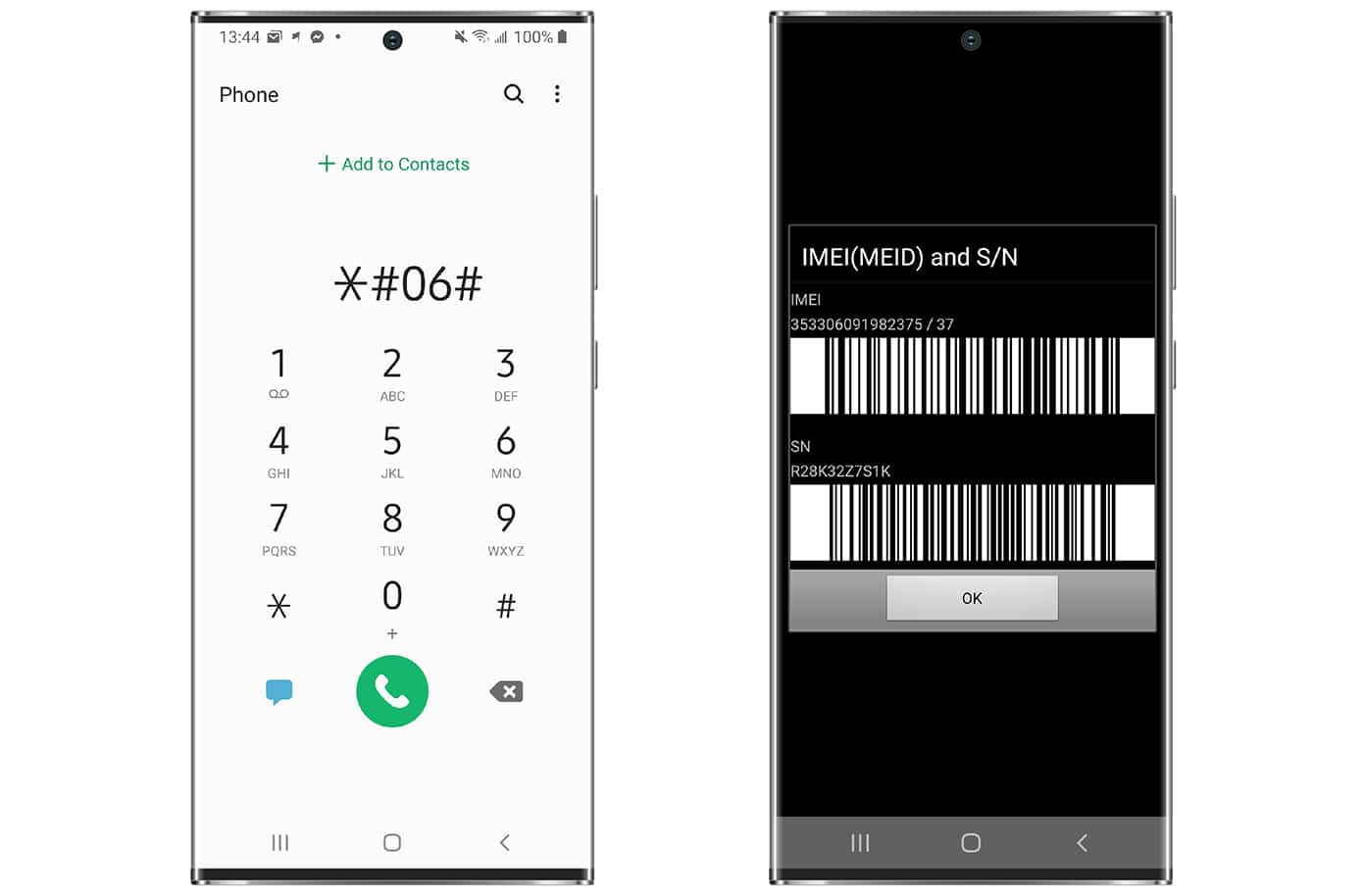
2 Enter your IMEI: On your phone, dial *#06# to find its IMEI number. You can also find it on the original box.
3 Complete your order: Complete payment and then enter your email ID. We’ll send you the instructions you need to get started.
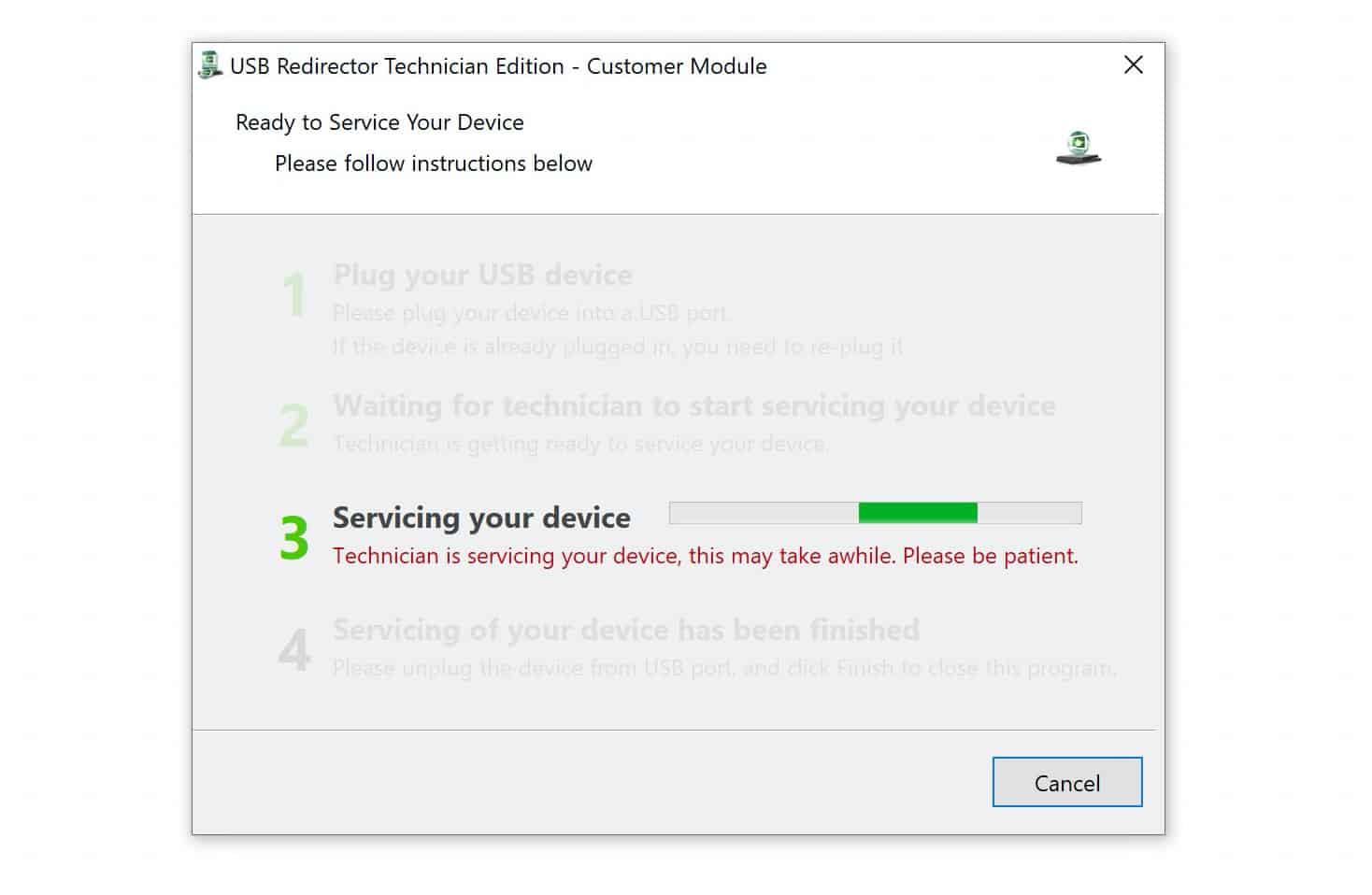
4 Link up with a technician: Follow the instructions in your email to connect with an UnlockBoot technician. You’ll need your phone, a Windows PC, and a USB cable. Live chat help is also available if you need it.
5 Insert your new SIM: Once the unlock is complete, insert a SIM card from another carrier and restart your phone.
That’s it. Your Galaxy Z Fold8 Ultra, Z Fold8, or Z Flip8 is unlocked for good and ready to use on other carriers.
Most unlocks take between 10 and 30 minutes.
Benefits of Unlocking Your Galaxy Z Fold8 Ultra, Z Fold8, or Z Flip8
Once the carrier lock is gone, you have more options. You can change networks when it makes sense instead of letting the lock make that decision for you.
- Switch carriers: Move to another compatible network without replacing your phone.
- Pay less each month: Choose a cheaper plan when you find one that works for you.
- Use a local SIM abroad: Buy a local SIM when you travel and avoid high roaming charges.
- Stay unlocked: Software updates and factory resets won’t bring the carrier lock back.
- Sell to more buyers: Someone on another network can use the phone too.
You paid a lot for your Galaxy device. Keeping it for a few years shouldn’t mean staying with the same carrier the whole time.
Why Unlock Your Galaxy Z Fold8 Ultra, Z Fold8, or Z Flip8?
Samsung gave people two Fold models to pick from this year. There’s also a smaller Flip8 for anyone who wants a phone that folds down small enough for a pocket.
The Galaxy Z Fold8 Ultra is the biggest of the three. It has an 8-inch main display and a 6.5-inch cover screen for the moments you don’t need all that room. It comes with a 200MP main camera, a 50MP ultrawide, a telephoto camera, and a 5,000mAh battery.
Want something smaller? The Galaxy Z Fold8 has a 7.6-inch main screen and a 5.5-inch cover screen. It weighs 201g and has a 4,800mAh battery.
Then there’s the Z Flip8. Instead of opening like a book, it folds in half. You get a 6.9-inch main display and a 4.1-inch screen on the outside. It’s the lightest of the three at 180g. It has a 50MP main camera, a 12MP ultrawide, and a 4,300mAh battery.
Charging speed depends on the model. The Fold8 Ultra and Fold8 charge at 45W. The Flip8 tops out at 25W.
These are phones you can hold onto for years. A carrier lock shouldn’t stop you if you find a better plan, want to travel with a local SIM, or decide to sell your Galaxy down the road.
Want to see how it works? Watch our video guide to see how we unlock Galaxy Z Fold, Z Flip, and other Samsung phones remotely.