

Have a Galaxy Z Fold7, Z Flip7, or Z Flip7 FE that’s still carrier-locked? We can help you unlock it permanently so it works with any carrier. Galaxy Z Fold7 unfolds into an 8-inch tablet-style screen for work and entertainment. Meanwhile, Z Flip7 and Z Flip7 FE bring a compact, clamshell design that fits easily in your pocket.

All three phones combine Samsung’s premium design with the advanced Snapdragon 8 Elite processor for exceptional speed and efficiency. You can get them from top carriers including T-Mobile, MetroPCS, Verizon, Xfinity, Spectrum, US Cellular, Cricket and Boost, or choose an unlocked version from select retailers.
Unlock Your Z Fold7/Z FLip7 NOW
Many carriers make their phones look more affordable by offering special promotions or installment plans. However, these deals come with a catch: your phone stays locked to that carrier’s network.
If you buy a Galaxy Z Fold7, Z Flip7, or Z Flip7 FE through a carrier, you won’t be able to use another SIM card until you meet their unlock terms or finish the contract. That limits your freedom to switch networks or travel internationally.
With a permanent unlock from UnlockBoot, you can remove these restrictions entirely. Your Galaxy Z Fold7, Z Flip7, or Z Flip7 FE will work with any carrier worldwide, giving you complete control over your device.
How to Unlock Your Galaxy Fold 7 or Flip7 Device Using USB (Takes 10–30 Minutes)
Ready to free your Galaxy Z Fold7, Z Flip7, or Z Flip7 FE from carrier limits? Here’s what to do:
1 Go to our Samsung unlock page and pick your carrier and phone model: https://store.unlockboot.com/unlock-samsung-phone
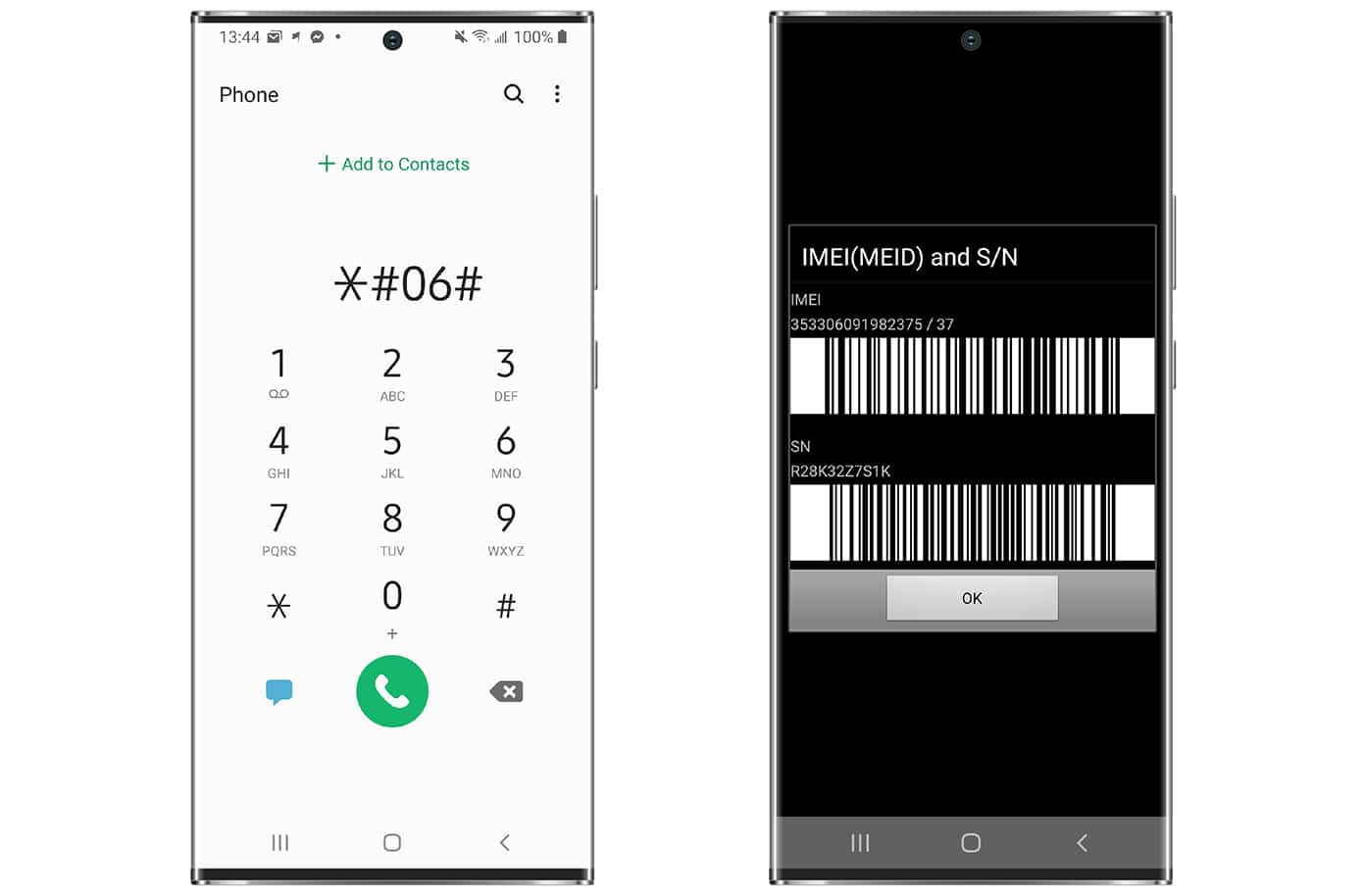
2 Enter your phone’s IMEI number. You can find it on the box or by dialing *#06# on your screen.
3 Complete the payment and provide your email. We’ll send clear instructions for the unlock. You’ll need a Windows PC and a USB cable.
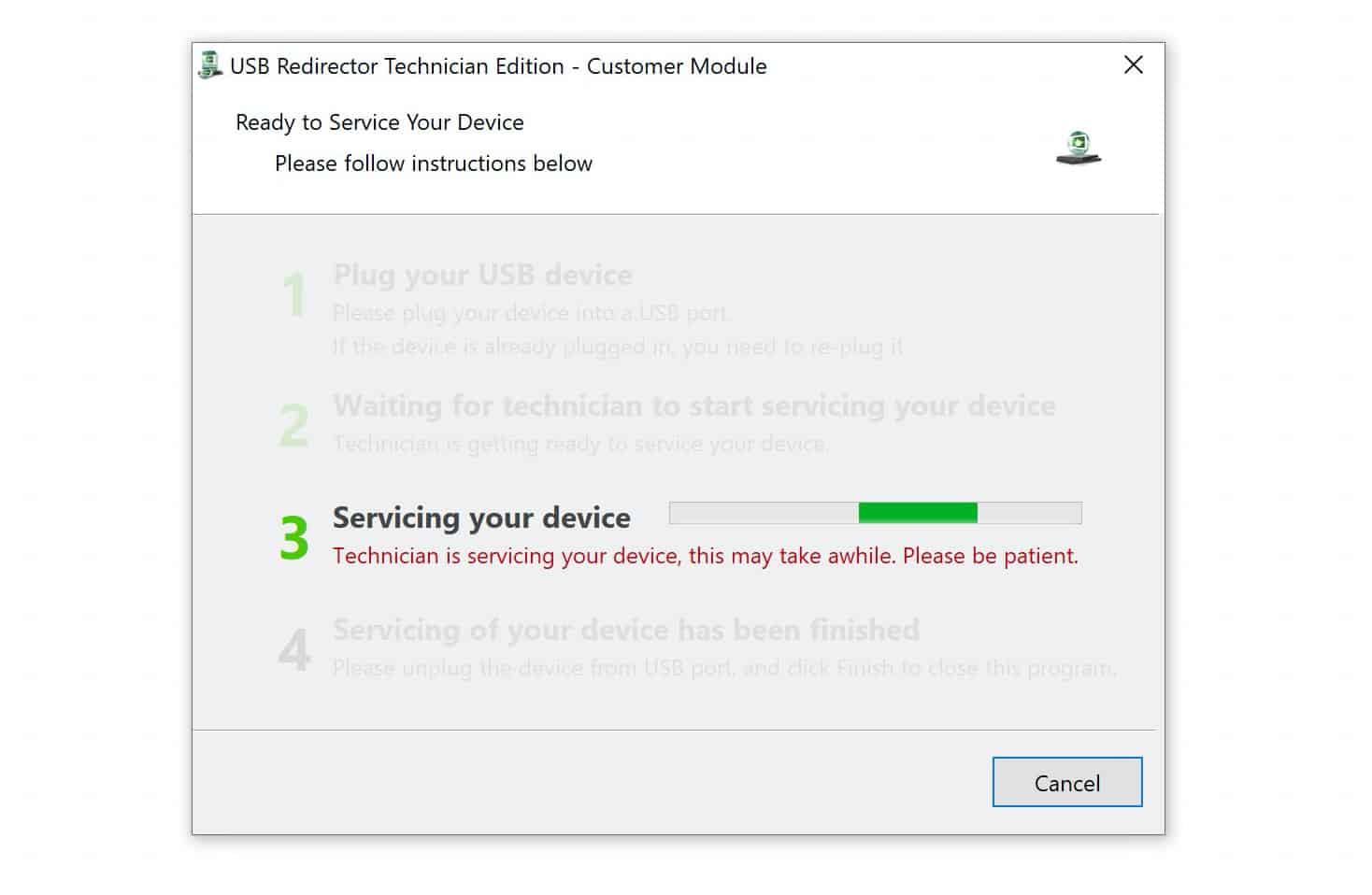
4 Check your email for steps to connect with an UnlockBoot technician. Live chat help is also available.
5 Once the process is complete, insert a SIM card from another carrier and restart your phone.
Your Galaxy Z Fold7, Z Flip7, or Z Flip7 FE is now permanently unlocked and ready to use with any SIM card worldwide.
Benefits of Unlocking Your Galaxy Z Fold7, Z Flip7, or Z Flip7 FE
Unlocking your Samsung Galaxy device opens up a world of use cases:
- Use your Galaxy Z Fold7, Z Flip7, or Z Flip7 FE with any carrier’s SIM card, wherever you are.
- Enjoy better coverage and pricing by switching carriers anytime.
- Travel abroad and use a local SIM card instead of paying high roaming fees.
- Keep your phone unlocked even after software updates or factory resets.
- Boost resale value by up to 30%, since unlocked phones tend to attract more buyers.
Why Unlock Your Galaxy Z Fold7 or Flip7 Device
The Galaxy Z Fold7, Z Flip7, and Z Flip7 FE all perform well and come packed with modern hardware. Z Fold7 opens into an 8-inch display built for multitasking and media. The Z Flip7 has a 6.9-inch screen that folds down to a compact size. The Z Flip7 FE gives you the same foldable design at a lower price.
All three devices include high-quality cameras. The Fold7 comes with a 200MP main lens, 12MP ultrawide, and 10MP telephoto for detailed shots. The Z Flip7 and Flip7 FE share a 50MP main and 12MP ultrawide setup that handles everyday photos well.
Battery capacity varies by model. The Fold7 includes a 4,400mAh battery, the Flip7 has 4,300mAh, and the Flip7 FE runs on 4,000mAh. Each supports 45W fast charging and wireless charging for quick power-ups.
Samsung provides seven years of software updates for the Z Fold7, Z Flip7, and Z Flip7 FE. Your unlocked device will stay secure and up to date for years.
Watch our video guide to learn how to unlock carrier-locked Galaxy Z models and other Samsung phones, including the Fold, Flip, and Note series.









