A few minutes ago, the popular Dev Team member known as Musclenerd introduced the release of the most recent version of Redsn0w — Redsn0w 0.9.14 beta 2.
Users having a downgraded iPhone 3 / 3GS from 06.15.00 to 05.13.04 or lower baseband have the ability to unlock their gadgets with latest Ultrasn0w and capability to use their GPS functionality.

Download Redsn0w 0.9.14b2
The very first is improved baseband 06.15.00 downgrading solution, and really should now include most iPhone 3G / iPhone 3GS devices. Keep in mind that any person having an iPhone 3GS that has been produced right after early 2011 — need to stay away from the 06.15.00 baseband. Additionally, there is an easier method for the baseband downgrade.
 |
| Download Redsn0w 0.9.14b2 to Downgrade Baseband |
The Revised Downgrading Steps are:
- Connect your iPhone in normal mode, then click “Jailbreak” after redsn0w identifies its model and BB version (you needn’t pre-select the IPSW anymore).
- Choose the “Downgrade from iPad baseband” option (you needn’t worry about de-selecting Cydia anymore).
- Do a controlled “slide to power off” shutdown of your phone and proceed through the normal DFU ramdisk steps.
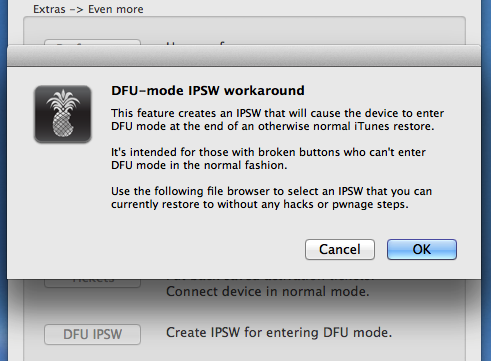
The next feature is a completely new “DFU IPSW” function, which creates and installs an IPSW for the gadget that triggers it to automatically get into DFU mode right after an iTunes restore. This really is good for users who’ve damaged buttons or other hardware problems that stop the iphone from entering in DFU mode.
Download Redsn0w 0.9.14b2 and Fix Baseband Downgrade Issues
Folks that even now haven’t tried out the baseband downgrade method, now can simply download redsnow 0.9.14b2 from our download section. Were you able to downgrade baseband on your device?