

If you’ve forgotten the lock screen password on your Samsung Galaxy XCover7 or XCover7 Pro, regaining access can be difficult. The easiest option is always to recover your Google account first, but if that’s not possible, Samsung’s Factory Reset Protection (FRP) can keep the device locked even after a factory reset. This security feature helps protect lost or stolen devices by requiring the last synced Google account before setup can continue.

Many websites advertise instant FRP unlocks, but newer Samsung rugged devices often need updated tools and model-specific support. Because of recent Android security patches, older bypass tricks may no longer work. If you are the legitimate owner, a professional FRP removal service can be the fastest way to restore access safely.
Galaxy XCover7 FRP Removal Service
Supported Samsung Galaxy XCover 7 Models
The Galaxy XCover7 lineup may include variants such as:
- SM-G556B
- SM-G766B
- SM-G766W
- SM-G766U
- SM-G766U1
- SM-G766N
The Galaxy XCover7 Pro may include regional variants depending on market release.
What You Need
To complete a remote FRP unlock service, you usually need:
- Windows PC or laptop
- USB cable
- Stable internet connection
- Charged battery (recommended 50%+)
- Wiped device at the Welcome / Verify Account screen
Steps for a Permanent Samsung Galaxy XCover 7 / XCover 7 Pro FRP Removal
1 Visit the Samsung FRP removal service page: https://store.unlockboot.com/frp-unlock-service/
2 Find and enter the IMEI number of your XCover 7 / XCover 7 Pro.
3 Complete the order and wait for instructions by email, then connect the phone to your Windows PC using USB.
4 Follow the instructions carefully or connect to the live remote support session. You may be asked to reconnect the phone by USB or switch it into the correct mode. The technician will guide you through each step until the FRP lock is removed and setup can continue normally.
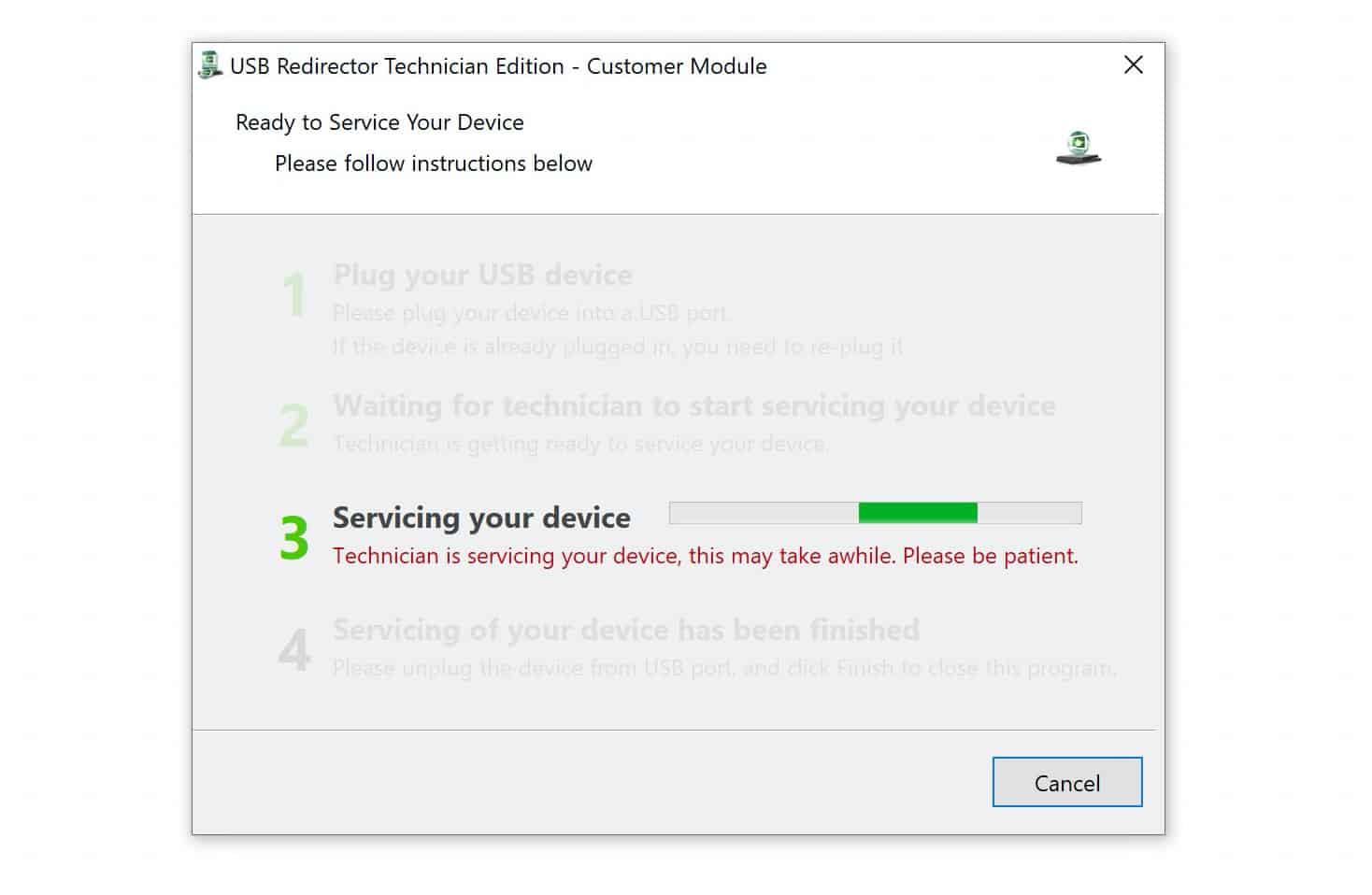
5 Once the process is completed successfully, the FRP lock will be permanently removed, allowing you to set up and use the device normally again.
Fix Your FRP Locked Samsung NOW
Why Choose a Professional Service
- Works with modern Samsung firmware
- No risky unofficial APK tricks
- Faster than trial-and-error methods
- Permanent result after completion
- Supports many Samsung devices including XCover models
If a Google FRP lock is preventing access to your Samsung Galaxy Xcover7 or Galaxy Xcover7 Pro, contact the UnlockBoot Team. We can help remove the lock and restore full access to your device permanently.









