Samsung leads in foldable screen technology with devices like the Galaxy Z Fold 4 and Z Flip 3. These models have received global fame for features such as an innovative user interface, sleek design, high-definition camera, and 5G support. Record-setting sales figures underline their success.
However, the high price tag of these phones makes them inaccessible for some buyers. That’s where T-Mobile steps in as an alternative option for acquiring a Galaxy Z Fold 4 or Z Flip 4. But securing a phone through T-Mobile means adhering to the carrier’s terms. Non-compliance can result in substantial fines.
Here’s another thing to note: when you buy a Fold 4 or Flip 4 via T-Mobile, it’s tied to their network until the contract is fully paid. That’s called being network locked, and it means the device only functions with a T-Mobile SIM card. However, if you have a T-Mobile Galaxy Z Fold 4 or Z Flip 4 5G, our service can assist. We offer an IMEI-based unlocking method and provide you with clear instructions to liberate your phone.
What Advantages Come with Unlocking T-Mobile Galaxy Z Fold 4 and Z Flip 4 5G?
Choosing to unlock through our service comes with several perks:
- You’ll dodge the steep international roaming fees by using a local carrier’s SIM.
- You get the freedom to switch to any carrier’s network, both locally and abroad.
- The resale value of your device could rise by 30% to 40% compared to its value when network locked.
You have the option to use T-Mobile’s own unlocking service, but they will charge more for the privilege. Apart from the device cost, you’ll also face a penalty for terminating the contract ahead of time. So, opting for a third-party unlocking service like ours can be a more cost-effective choice.
But, a word of caution. Not all unlocking services deliver what they promise. It’s crucial to go with a reputable provider. Low-cost services might unlock your phone only temporarily and could compromise your data.
For a safe and reliable unlocking, consider a reputable provider Unlockboot. We unlock many types of smartphones, including Samsung models. Here’s how to unlock the Galaxy Z Fold 4 and Z Flip 4 using a USB connection.
Unlock T-Mobile Galaxy Z Fold 4 and Z Flip 3 in 10-30 Minutes [Permanently]
1 Open your web browser. Go to our site. Click on the smartphone unlocking section. Then pick T-Mobile Fold 4 or T-Mobile Flip 4. We even have a direct link to our Samsung page: https://store.unlockboot.com/unlock-samsung-phone/?service=30
2 On this page, look for details. You’ll find info about time and cost (please select the T-Mobile Z Fold4 / Z Flip4 option).
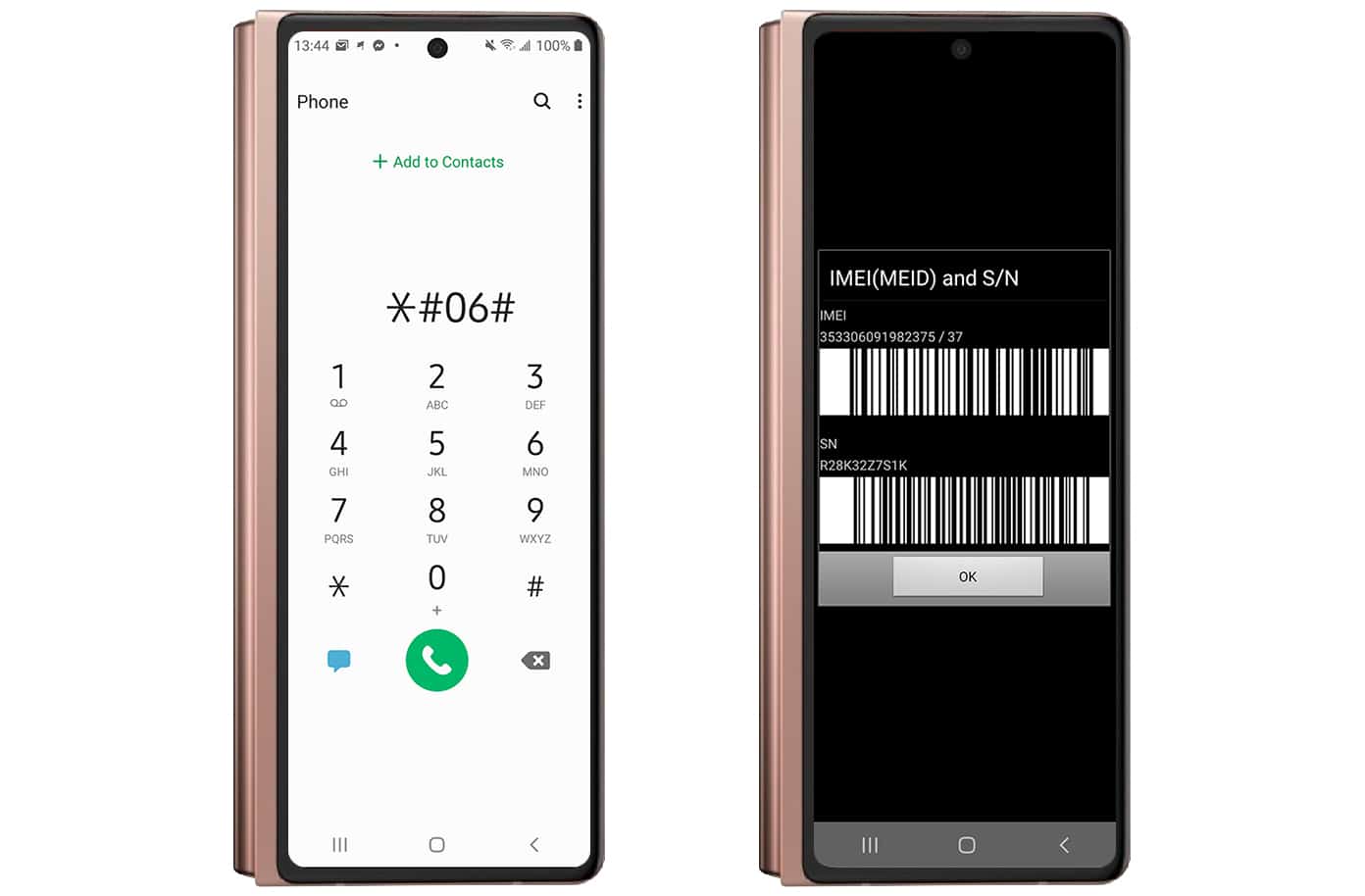
3 Now, input the IMEI number of your phone. You can find it by dialing *#06#. You can also go to Settings and then About Phone.
4 Click ‘add to cart.’ Pick how you want to pay. Then go to the checkout page to make the payment.
5 After we get your payment, we’ll email you. This email has all the steps to unlock your phone. It takes between 1 to 24 hours to unlock your phone completely.
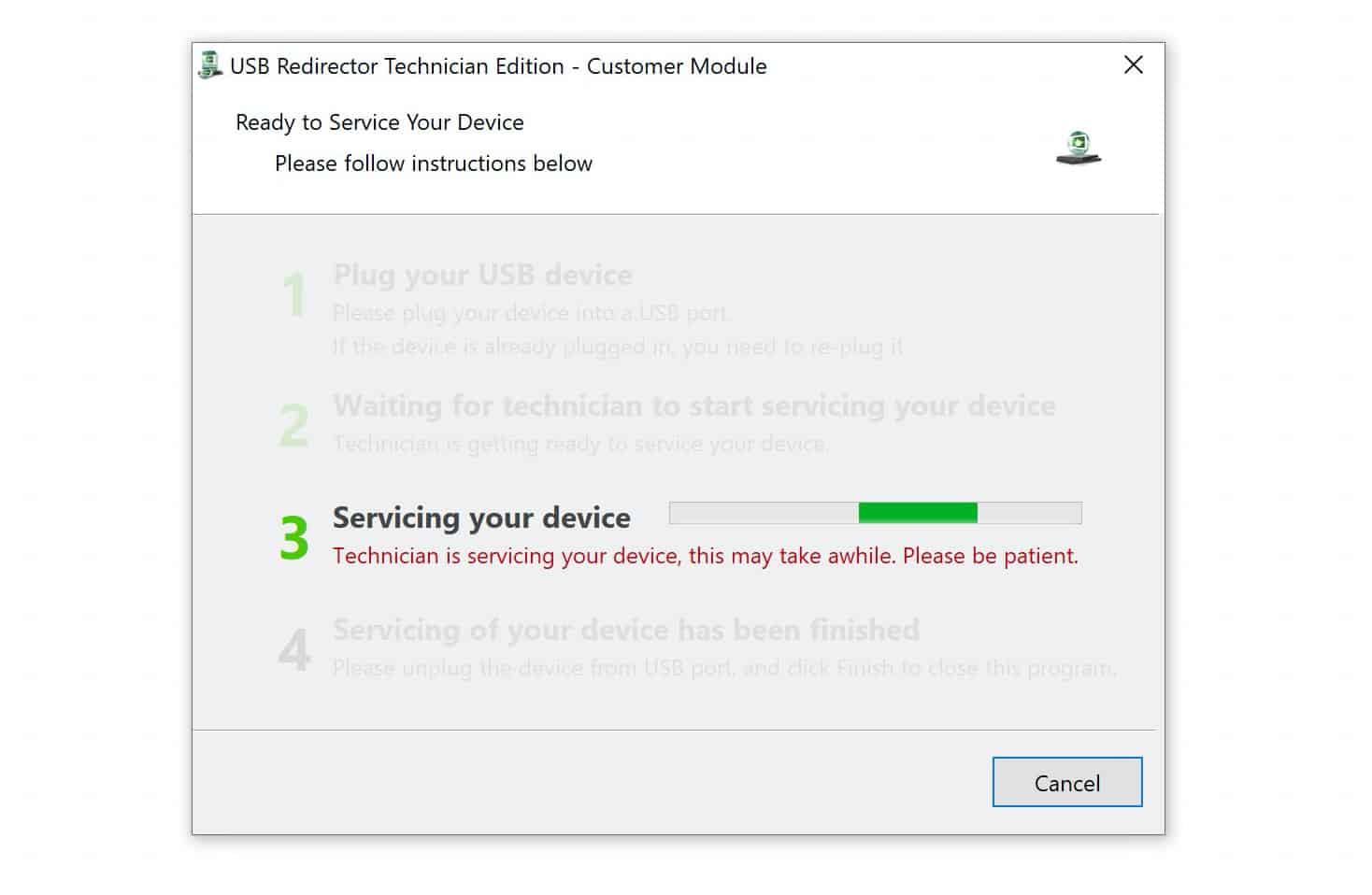
Note: This isn’t a code-based method. You’ll need a Windows PC. You’ll also need the USB Redirector software. Our tech can guide you. Just use live chat after you place an order.
Why Pick Unlockboot for Unlocking T-Mobile Galaxy Z Fold 4 and Z Flip 4?
- We have good prices. Often better than other services.
- We’re trusted. We unlock phones from Samsung, Apple, LG, Nokia, and others.
- We keep your info safe. Data protection is important to us.
- Our method is legit. It won’t void your phone’s warranty.
So, if you want to unlock a Galaxy Z Fold or Z Flip, try us. All you need is your phone’s IMEI number. UnlockBoot makes the process simple.