Apple has recently revealed the release date, features and more of iOS 11 at Apple Worldwide Developers Conference. Per their custom, they have released the beta version for those registered into the Apple Developer Program. With all the wonderfulness of this latest update, not many can wait and want to catch hold of this recent iteration of Apple’s OS. However, those not enrolled into Apple Developer Program will need to hold up somewhat more. As per Apple’s announcement, both iOS 11 and macOS High Sierra are available in developer betas, while their public variants will be available later this month.
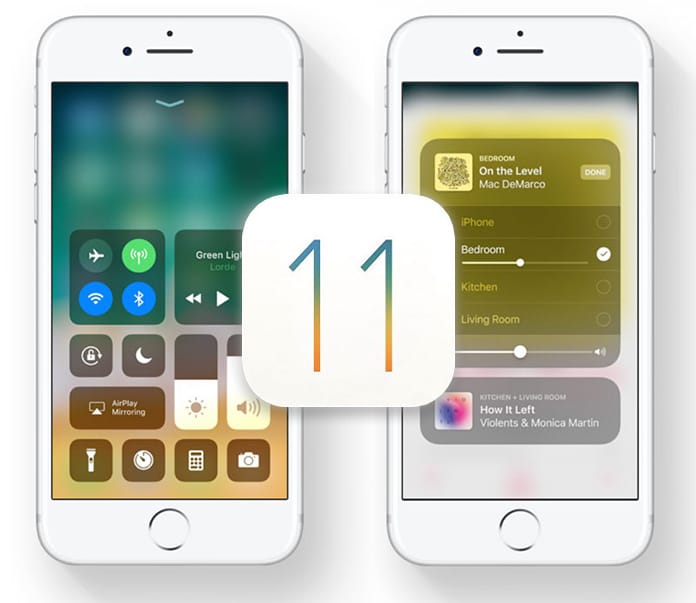
As you continue reading, you will learn to install iOS 11 beta OTA update without having to sign up for a registered developer account or have a UDID.
First and foremost, you must backup your device to iTunes or iCloud before getting into the process. You never know what might go wrong and you will end up losing all your precious data. Moreover, before you start, do confirm if your device is compatible with iOS 11. Once your data is backed up, you will need to install a verified Apple Configuration Profile which will activate an OTA update to the beta firmware.
Here’s what that needs to be done.
Steps To Install iOS 11 Beta Without Developer Account
Step 1: Launch Safari on your iOS device. Go to the link: www.unlockboot.com/ios-11-profile
Step 2: Tap the download button to download profile on your device.
Step 3: Select iPhone when asked: “On which device would you like to install this profile?”.
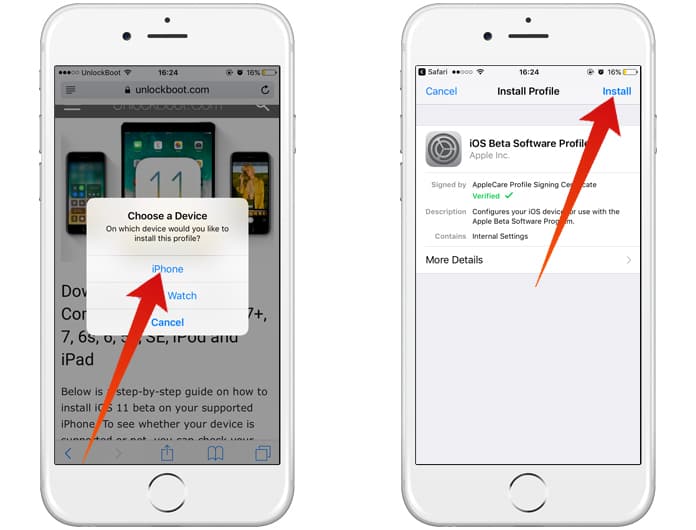
Download iOS 11 configuration profile for iPhone
Step 4: As shown below, tap Install. Your phone will be rebooted when the profile is installed.
Step 5: Go to Settings when your device is rebooted. Go to General -> Software Update and you will find the ‘iOS 11 Developer beta OTA’ update waiting for you to install.
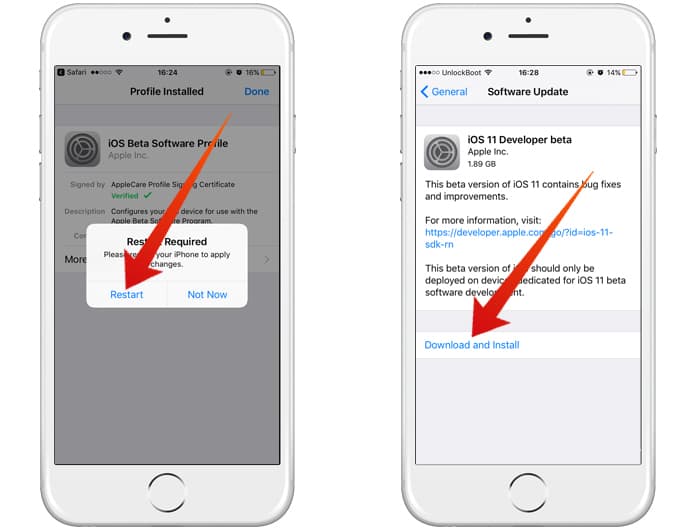
Download iOS 11 beta configuration profile for iPhone
Step 6: Click Download and Install, and you are done!
Once your device is updated, it would reboot into the first beta of iOS 11. Check that out.