If you’re unable to access your Samsung Galaxy A55 (SM-A556V, SM-A556B, SM-A556E, SM-A5560, SC-53E, SCG27, or SM-A556S) after performing a hard reset, your device likely has Factory Reset Protection (FRP) enabled. FRP is a security feature designed to prevent unauthorized access by requiring the original Google account credentials after a reset. However, if you’ve forgotten your Google account details, you may find yourself locked out of your own device. This can be frustrating, but don’t worry—we’ll explain what FRP is and how you can bypass it.

We understand that the FRP lock on your Galaxy A55 can be very frustrating, but there are ways to bypass it. Various tools are available to help you remove the FRP lock on Samsung devices. While you can find many tools and services online, it’s important to keep a few key factors in mind. UnlockBoot is your go-to source for FRP unlocking solutions, helping you regain access to your device quickly and easily.
Fix Your Google Locked A55 NOW
The process is straightforward—just follow a few simple steps, and your phone will be unlocked. However, keep in mind that this method only removes the FRP lock from your Galaxy A55. It does not unlock any network or carrier restrictions.
How to bypass Samsung Galaxy A55 FRP lock Permanently via USB?
Now that you understand what an FRP lock is and how it gets activated, let’s move on to the steps for removing it. There are a few simple steps you need to follow to bypass the FRP lock on your Samsung Galaxy A55. Before starting the process, make sure you have a USB cable and a computer with an active internet connection ready.
1 Firstly, visit our website, and navigate to the FRP unlock services section: https://store.unlockboot.com/frp-unlock-service/
2 Then, find the FRP unlocking option, and select the FRP Unlock via USB option (your model can also be unlocked by IMEI).
3 Enter the IMEI of the device (you can find it by dialing *#06# on the emergency page, and complete your purchase.
4 You will receive an email with a detailed instructions. You have to connect your phone to your computer. Our technician will do all the rest of the job for you.
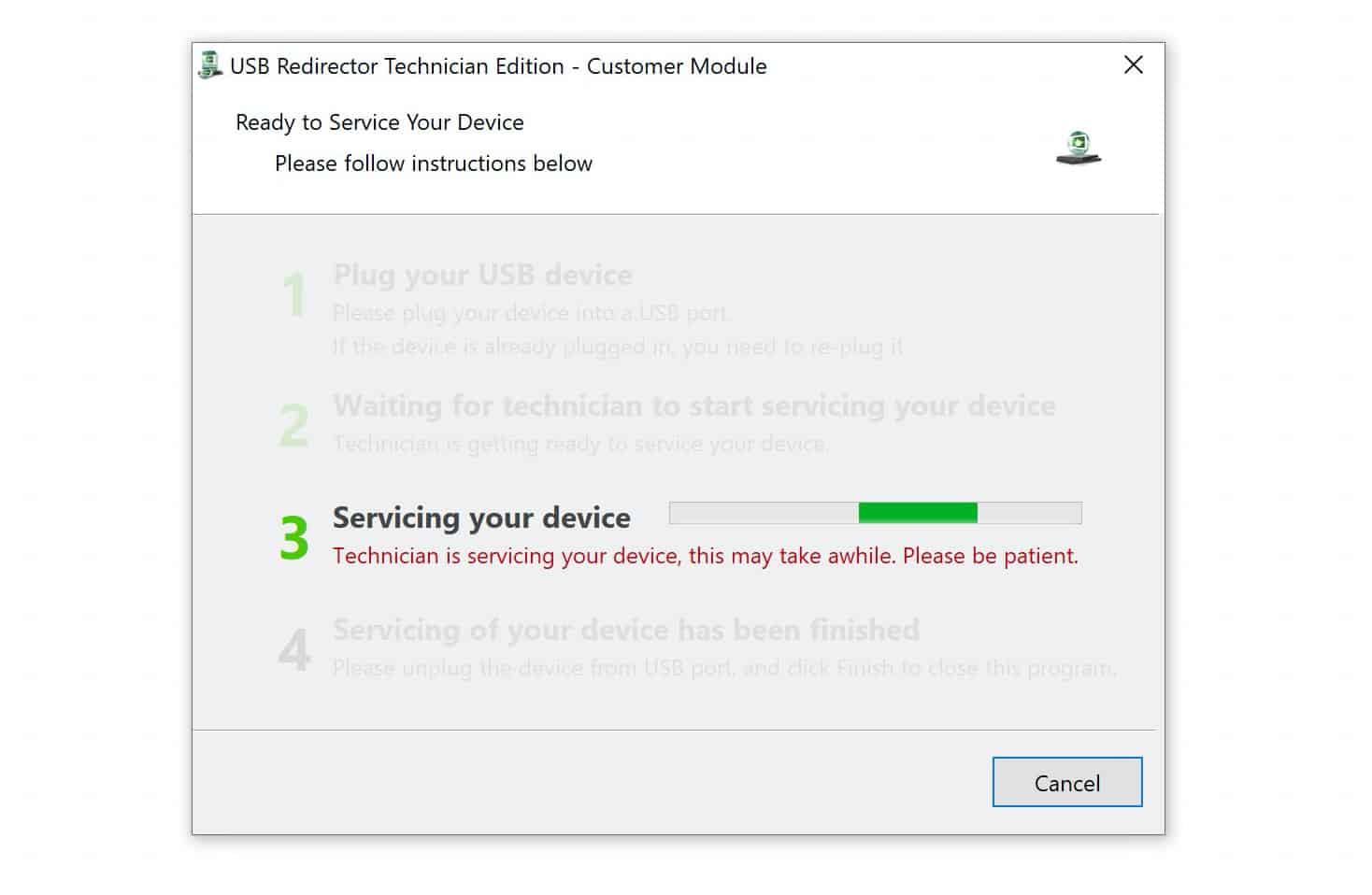
5 Follow the provided instructions and you will be able to permanently remove the FRP lock from your Samsung Galaxy A55 phone.
Unlock Your FRP Locked A55 NOW
Our process is quick and effortless, taking only a few minutes to complete. No technical skills are required to permanently bypass the FRP lock on your Galaxy A55.
Feel free to contact us if you have any questions or need assistance. Our team is here to help and ensure you have a smooth experience with our services. Whether you need support with the FRP unlock process or have any concerns, we’re just a message away.