Have you got your new Galaxy Z Fold7, Z Flip7 or Z Flip7 FE (SM-F766BE, SM-F766U, SM-F766U1, SM-F766Z, SM-F766B, SM-F7660, SM-F766N, SM-F766W, SC-55F, SCG35, SM-F766Q, SM-F761B, SM-F761BE, SM-F761U1, SM-F7610, SM-F761U, SM-F761N, SM-F966B, SM-F966N, SM-F966U, SM-F966U1, SM-F966BE, SM-F9660V, SM-F966W, SC-56F, SCG34, SM-F966Q, SM-F966Z & SM-F9660) but are now facing a lock screen you cannot get past? If you do not remember your Google login, the “Verify Your Account” screen will stop you from moving forward. It is meant to protect your phone, but it can also lock you out. That is where we come in. At UnlockBoot, we have a solution that clears the Google FRP lock. The process is quick, safe, and can be done right at home.

Unlock Your Z Fold7 / Z Flip7 / Z Flip7 FE Today
Need a trusted way to unlock your Samsung? UnlockBoot has you covered. Our skilled team makes the process fast and simple. If we cannot remove the Google FRP lock, you get a full refund.
Everything is handled online, so you do not have to visit a shop. All you need is a Windows PC, and our support team is available to help whenever you need it.
Do not let a locked phone stop you. With UnlockBoot, you will be back to using your apps and features in minutes.
Complete FRP Removal for Galaxy Z Fold7, Z Flip7 and Z Flip7 FE
Our service works with all versions of the Galaxy Z Fold7 and Z Flip7. Whether your device came from North America, Europe, Asia, or another region, our unlock tool is compatible.
Galaxy Z Fold7 supported models: (SM-F966B, SM-F966N, SM-F966U, SM-F966U1, SM-F966BE, SM-F9660V, SM-F966W, SC-56F, SCG34, SM-F966Q, SM-F966Z & SM-F9660)
Galaxy Z Flip7 / Z Flip7 FE supported models: (SM-F766BE, SM-F766U, SM-F766U1, SM-F766Z, SM-F766B, SM-F7660, SM-F766N, SM-F766W, SC-55F, SCG35, SM-F766Q, SM-F761B, SM-F761BE, SM-F761U1, SM-F7610, SM-F761U & SM-F761N)
What You Need Before Starting
To unlock your Fold7, Flip7 FE or Flip7, prepare:
- A working USB cable to connect your device
- A computer with Windows, or a Mac with Windows using Parallels or Bootcamp
- A reliable internet connection
Important: This service removes Google FRP locks only. Carrier network locks require a separate service.
Unlock Your Galaxy Z Fold7 / Z Flip7 in Four Easy Steps
- Go to the FRP Unlock Page: Visit UnlockBoot FRP Unlock and add the service to your cart.
- Enter Device Details: Input your Fold7 or Flip7 IMEI number. If you cannot find it, type 0000.
- Complete Your Order: After payment, check your email for detailed instructions.
- Use the Unlock Tool: Follow the steps to connect your phone and remove the lock.
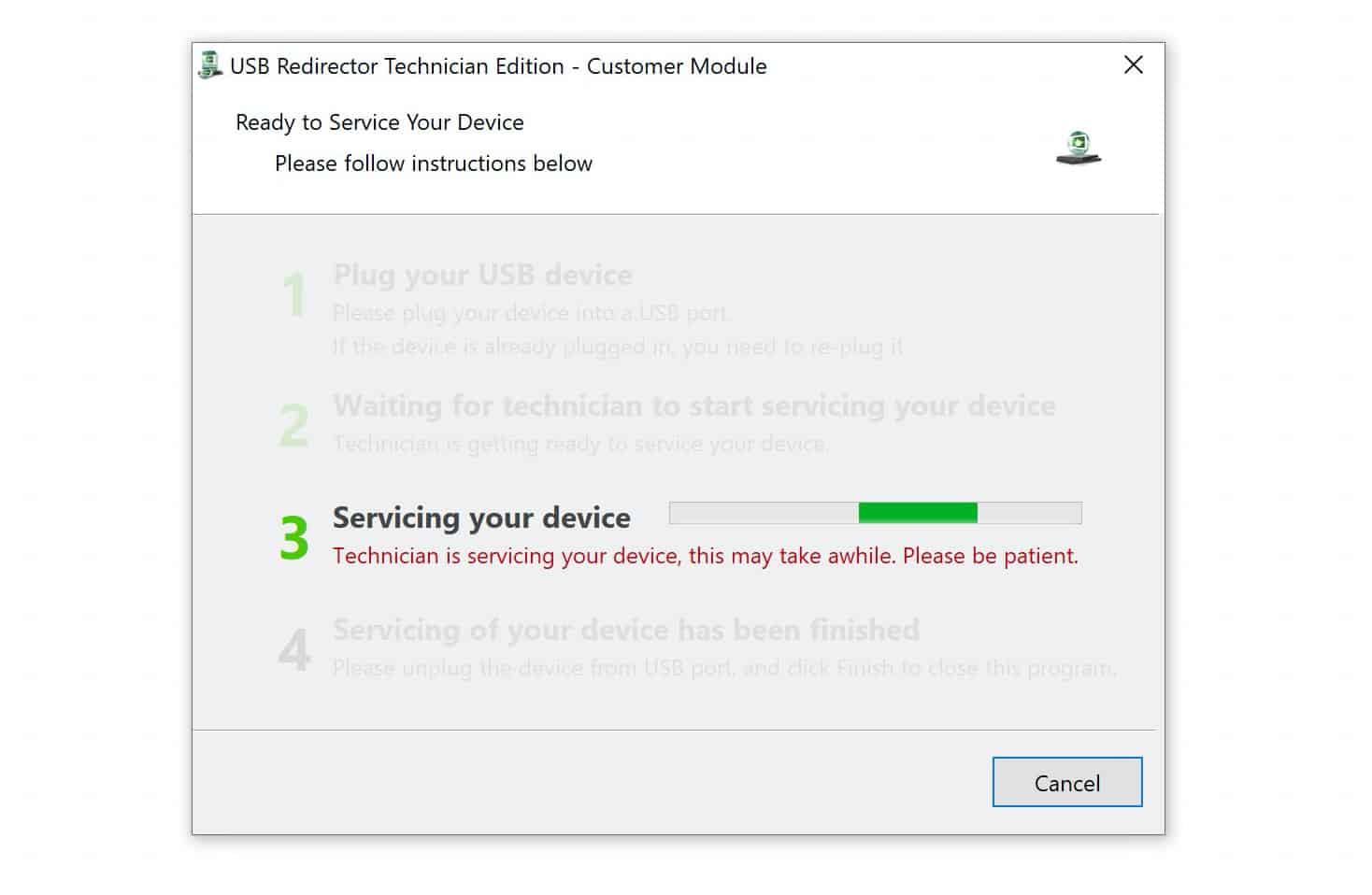
The average unlock time is 10 to 15 minutes.
Fix Your FRP Locked Device NOW
After Unlocking
Once the FRP lock is removed, you will receive a confirmation email. You can then sign in with a new Google account and set up your Fold7 or Flip7 from the beginning.
Why Choose UnlockBoot for FRP Removal?
Here are the reasons people rely on our service:
- Up-to-date knowledge: We handle the newest devices like the Fold7 and Flip7, along with older Samsung models.
- Privacy protection: Your information stays safe throughout the process.
- Compatibility with Windows: Works from Windows 7 through Windows 11.
- Easy steps: The service is simple enough for anyone to follow.
- Available everywhere: No matter your country, you can use our service.
- Money-back promise: If we cannot unlock your device, you get your payment refunded.
Use Your Fold7 or Flip7 Without Limits
The Galaxy Z Fold7 is made for productivity with its large inner display, Snapdragon 8 Elite chipset, and a 200-megapixel camera. It is built with Gorilla Glass Ceramic 2 and Armor Aluminum for durability.
The Galaxy Z Flip7 is perfect for portability. It folds into a compact size, has a 4.1-inch cover screen for quick access, and opens to a 6.9-inch display for full use. It is built for everyday use with a 50-megapixel main and 12-megapixel ultrawide camera, plus Gorilla Glass Victus 2 and a stronger hinge.
Both phones include new AI features for translation, image editing, and smart assistance. These are devices made to keep up with your life, and our FRP service ensures you can use them fully.
Do not wait around with a locked device. Order the UnlockBoot FRP removal service today and get your Galaxy Z Fold7, Z Flip7 or Z Flip7 FE working again in minutes.