Many of the readers are looking for downgrade iPhone 4S 5.1 to 5.0.1. When iOS 5.1 was released on 7th April along with the new iPad, many thought the downgrade wouldn’t be possible anymore.
Though Apple has made it clear they plan to leave no loopholes when it comes to latest firmware and devices.
You can downgrade iPhone 4S from iOS 5.1 to iOS 5.0.1 in the near future as iOS hacker iH8sn0w discovered a new exploit in March which will make the downgrading possible.
iH8sn0w has discovered something that has proven to be helpful. According to him, the new discovery was helpful on A5X devices. However, this will happen after a new firmware is pushed out by Apple. Right now, the current device with the aforementioned processor is the iPad 3.
iOS 5.1 iPhone 4S Untethered Jailbreak Release Date
As off now, there isn’t any untethered jailbreak for A5 devices on iOS 5.1. The exploit by iPhone Dev Team and Stefan Esser is not going to release any soon. Those on iOS 5.1 on their iPhone 4S can’t jailbreak it. iOS 5.0.1 is the only firmware that can be jailbroken untethered on the iPhone 4S.
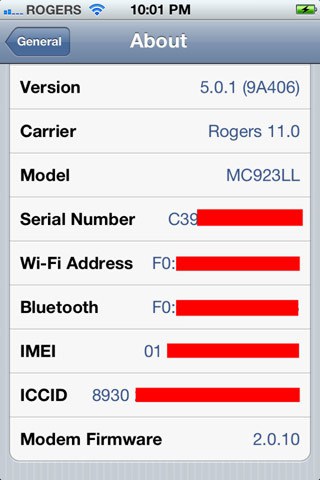
Downgrade iPhone 4S iOS 5.1 Baseband 2.0.10
The jailbreak community is skilled and we are sure that the jailbreak will come, so what you can do now for a successful downgrade in the future is save iOS 5.0.1 SHSH blobs. This will help when iOS 5.1 untethered jailbreak is released!
How to downgrade A4 devices from iOS 5.1 to iOS 5.0.1 using iFaith.
Step 1: Download the latest version of iFaith from ih8sn0w.com and iOS 5.0.1 official stock from here.
Step 2: Build a singed firmware file by clicking on ‘Build *signed* IPSW w/Blobs’.
Step 3: Browse for the SHSH blobs file that was previously saved to the device in use to downgrade back to the old 5.0.1/5.0 firmware. Now iFaith will ask you to choose the stock firmware of which you want to create the custom firmware file from. Once completed, iFaith will have a new custom firmware file waiting for you on the desktop with SHSH blobs incorporated for the firmware you’re downgrading to.
Step 4: Finally, enter DFU mode with iFaith and then use iTunes to restore to this custom firmware file.
This is all that’s required.
We will keep you informed when iOS 5.1 untethered jailbreak is released for iPhone 4S and you can then downgrade from iOS 5.1 to iOS 5.0.1. Don’t forget to share your thoughts in the comment section below.