A week after the iOS 10 public beta was released, Apple has released iOS 9.3.3 for iPhone, iPad and iPod touch. Now you can download iOS 9.3.3 via the OTA update or you can download the IPSW restore file from our downloads page.
IOS 9.3.3 Features & Improvements
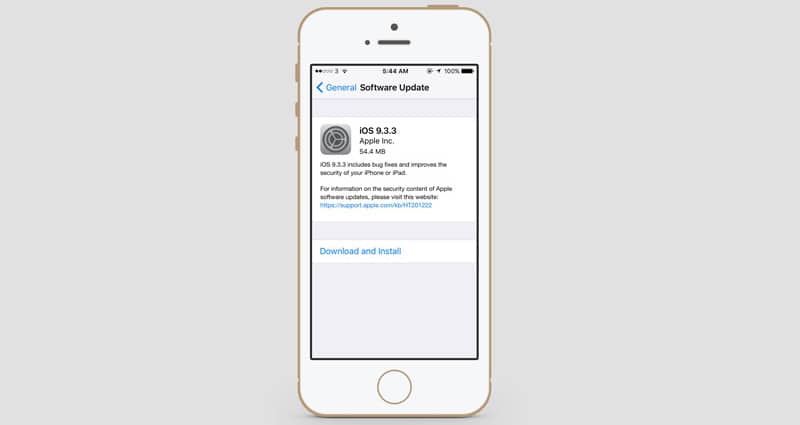
IOS 9.3.3 comes with a lot of performance improvements and bug fixes. The full list with the improvements can be found here.
How to Install iOS 9.3.3 from your device
To install iOS 9.3.3 official version from your device, just go to Settings – General – Software Update and install the iOS 9.3.3 update.
How to Update to iOS 9.3.3 from iTunes
- Connect your device to the computer.
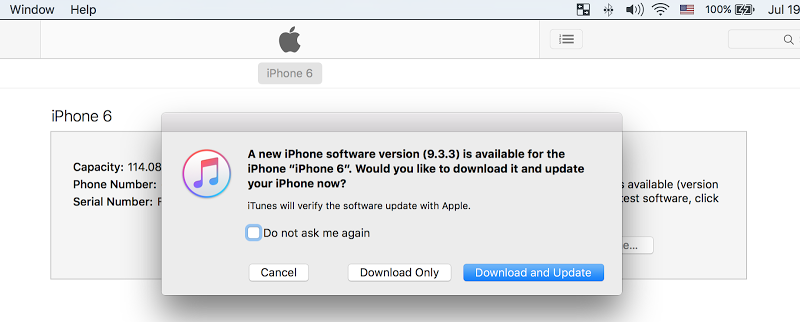
- Open iTunes and the iOS 9.3.3 software update pop up will be shown.
- Click Update to start the iOS 9.3.3 Download & update procedure.
Download IOS 9.3.3 IPSW file
You can download IOS 9.3.3 IPSW file for iPhone, iPad or iPod touch from our downloads section using this link.