SiriPort project Russian team has released an update to its app that allows you to install Siri on iPhone 4 running iOS 7. It however requires your device to be jailbroken and have Cydia installed. The SiriPort.ru (Original-iOS7 +) was released alongside the release of iOS 7. Apart from the installation of the GUI Siri, the jailbreak app also allows you to connect with Apple’s servers to use Siri.
Guide to install Siri on iPhone 4 iOS 7.1.2
Step 1: First of all, you should have a jailbroken iPhone 4 running iOS 7. The best tool to use is of course the evasi0n7 released by the evad3rs team, and you can either use the Mac based or Windows based version of the tool for the purpose.
Step 2: Now the next step is to open the Cydia app and add this repository to the list of your default Cydia sources: http://repo.siriport.ru
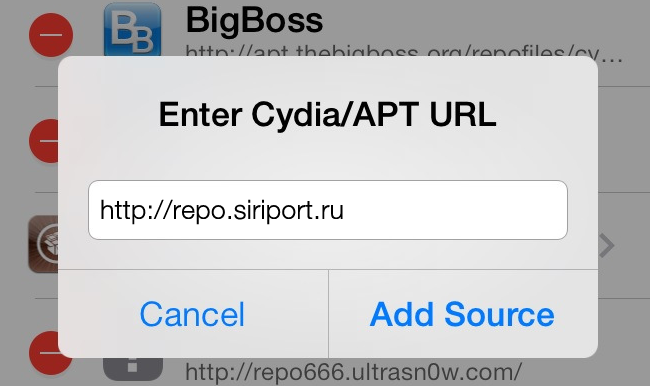
Step 3: Now from the repo mentioned above, install SiriPort.ru (Original-iOS 7 +) version 1.0.

Step 4: Restart your iPhone.
Step 5: Now head over to the Settings menu and select SiriPort.Ru Original (this is for installation of the certificate).
Step 6: On the page of install certificate, click and then select confirm.
Step 7: Now restart your iPhone once again.
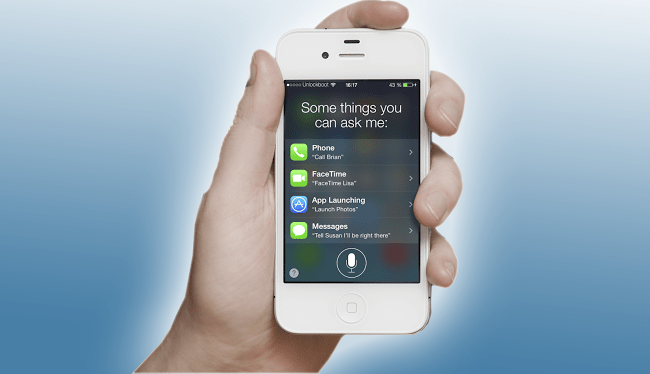
Step 8: The next step is to go to Settings – General – Siri voice assistant, and then you should see Siri launch. Now you can Say Hi Siri, and you should receive a response. If you do not, wait for a while and then close down Siri and then re-open it again.
Step 9: Repeat the instructions till Step 7 until you get an activated voice assistant.
Video on how to Install Siri iPhone 4 IOS 7.1.2
Courtesy of SiriPort.ru, users with iPhone 4 will also be able to take advantage of Apple’s loved voice assistant.
What do you think of this tweak? Feel free to leave comments.