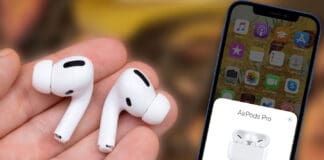
Apple’s AirPods are all the rage these days. They’ve taken the wireless headset community by storm, as well as the market for earphones and headphones. People have forgotten names like Bose and Beats after the release of Apple’s offerings. The demand is so high that the company is struggling with production.

All that said, the price of AirPods is quite high, and if you lose your AirPods, you’d have to pay around $160 to buy them again. Even losing one part of the two AirPods is going to set you back hefty money. Therefore, do your best to avoid losing them.
But if you do end up losing them despite safeguarding them in every manner possible, you won’t have to tear your hairs apart, as there’s an app that will help you get them back. It’s called Finder for AirPods. The latest iPhone app will erase your concerns about using your expensive wireless earbuds. With the use of the wireless signature that you do on AirPods, the app will search for your missing music companion and even tell you how far or near you are to the hardware.
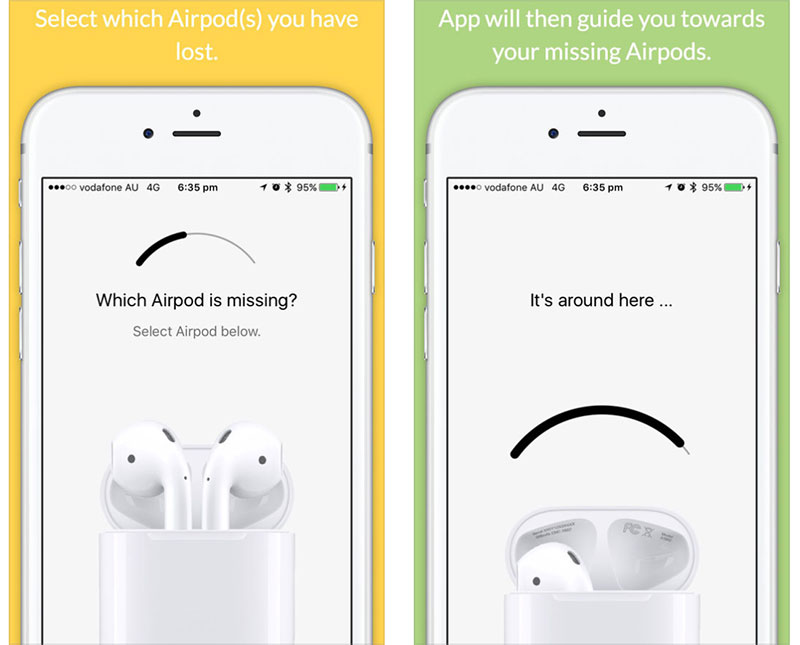
It works in a simple way. Once you notice that you have lost the AirPods, just launch the app on your iDevice, close the charging case’s lid and move near the area where you suspect you misplaced the AirPods. The meter showcased by the app will let you know if you’re close to the hardware.
This app isn’t free to use, but given that $160 is the price tag of AirPods, and to replace each one costs $70, spending some dollars on an app isn’t a bad idea at all. It’s going to be very useful if you lose one of the earbuds, and it’s in a location where you can’t hear the audio coming out of it – $4 is the price tag of the app.
Update #1: Apple has removed the app from App Store. The developer said: “they didn’t find anything wrong with the app, but they didn’t like the concept of people finding their Airpods and therefore considered it as inappropriate for the App Store.” Check out LightBlue Explorer instead, an app that offers similar functionality.
Update #2: The Find My AirPods feature was integrated in the Find My iPhone app. Read more here on how to use it.